📌 Disclaimer
Prices, schedules, tour details, flight routes, visa requirements, and all other information on this page are based on data at the time of writing. Fares, availability, and policies may change. Please verify current details on the official website before booking.
Why Get an eSIM for Montenegro#
An eSIM eliminates the need to hunt for a local physical SIM card after you land. With a traditional SIM you must locate a retailer, navigate language barriers, and often present identification. The eSIM process can be completed from the comfort of your home, allowing you to arrive with data already active. This is especially useful in Montenegro where many smaller towns have limited retail options and where the busiest tourist spots—such as the Bay of Kotor or the capital Podgorica —can see long lines at mobile shops during peak season.

Beyond convenience, an eSIM reduces the risk of losing a physical card. When you travel with a single device, there is no extra slot to manage, and you avoid the hassle of swapping cards between devices. The eSIM also integrates directly with your phone’s settings, making it simple to toggle between your home carrier and the Montenegro plan as needed. For travelers who rely on navigation apps, messaging services, or online ticket purchases, having a reliable data connection from day one can make the difference between a smooth itinerary and a series of missed connections.
Available Plans Compared#
Montenegro offers four eSIM options, each defined by a data allowance, validity period, and price. The plans are:
- 1 GB for 7 days at $4
- 2 GB for 15 days at $7
- 3 GB for 30 days at $9
- Unlimited data for 10 days at $38
When you compare these options, three key metrics emerge: total data, duration of coverage, and cost per gigabyte.
The 1 GB, 7‑day plan provides the smallest data bucket at a price of $4, which translates to $4 per gigabyte. This plan is suited for travelers who expect to rely mostly on Wi‑Fi in hotels or cafés and need only occasional mobile access for navigation or quick messages.
The 2 GB, 15‑day plan lowers the per‑gigabyte cost to $4. It doubles the data and extends the validity period, making it a reasonable middle ground for those who anticipate moderate usage—perhaps a few hours of streaming each day and regular map updates while exploring coastal routes and mountain passes.
The 3 GB, 30‑day plan further reduces the cost per gigabyte to $3. This plan offers a full month of coverage, which aligns well with typical vacation lengths in Montenegro. With three gigabytes you can comfortably stream music, download offline maps, and stay active on social media without worrying about running out of data before the trip ends.
The unlimited option provides unrestricted data for ten days at $38. While the per‑gigabyte figure is high compared with the limited plans, it may appeal to heavy streamers, remote workers who need continuous video calls, or travelers who plan to move between regions quickly and want the assurance of no data caps.
Overall, the limited plans present a clear gradient of decreasing cost per gigabyte as the data allowance and duration increase. The unlimited plan stands apart as a premium choice for users whose consumption patterns exceed the three‑gigabyte threshold within a short timeframe.
Best Value: Which Plan Saves You the Most#
From a purely financial perspective, the 3 GB, 30‑day plan delivers the best value. At $9 for three gigabytes, the cost per gigabyte is $3, the lowest among all options. This plan also offers the longest validity period, covering an entire month of travel without the need to purchase an additional eSIM. For most tourists who spend two to three weeks exploring Montenegro’s coastal towns, national parks, and historic sites, three gigabytes is ample.
If your itinerary is shorter—say a long weekend in Budva or a quick business trip to Podgorica—the 2 GB, 15‑day plan may be more appropriate. It costs $7 and provides $4 per gigabyte, a modest increase over the best‑value plan but with a shorter commitment.
Only travelers with high‑bandwidth needs, such as daily video conferencing, large file uploads, or extensive streaming, should consider the unlimited ten‑day plan. At $38, it costs roughly $12.67 per gigabyte if you were to use the full ten days, which is substantially higher than the $3 per gigabyte of the 3 GB plan.
Thus, unless your data consumption will consistently exceed three gigabytes in a month, the 3 GB, 30‑day eSIM is the most economical choice.
How to Install Your eSIM Before Traveling#
Preparing your eSIM ahead of time ensures that you are online the moment you step off the plane. Follow these steps to install the eSIM on a compatible device:
Confirm Device Compatibility – Most recent smartphones from major manufacturers support eSIM functionality. Check the specifications of your phone to verify that it can store and activate an eSIM profile.
Select the Desired Plan – Choose one of the four Montenegro plans listed above. Purchase the plan through the provider’s app or website, entering your travel dates and preferred data allowance.
Receive the QR Code – After purchase, the provider will send a QR code via email or within the app. This code contains the carrier profile that your phone will download.
Open the Cellular Settings – On iOS, go to Settings > Cellular > Add Cellular Plan. On Android, navigate to Settings > Network & Internet > Mobile Network > Add Carrier.
Scan the QR Code – Use your phone’s camera to scan the QR code. The device will read the carrier information and prompt you to confirm the addition of the new plan.
Label the Plan (Optional) – For ease of management, you can assign a label such as “Montenegro” to the eSIM profile. This helps you differentiate it from your home carrier when toggling between networks.
Activate the Plan – Follow the on‑screen instructions to activate the eSIM. Activation usually occurs within minutes, but some carriers may require a short verification step.
Test the Connection – Once activated, turn off Wi‑Fi and attempt to load a web page or use a map application. If the connection works, you are ready to travel.
If you encounter any issues—such as the QR code not being recognized—restart your device and repeat the scanning process. In rare cases, a manual entry of the carrier’s activation code may be required; the provider’s support documentation will include those details.
eSIM vs Physical SIM vs Roaming#
When deciding how to stay connected in Montenegro, three options compete for attention: an eSIM, a traditional physical SIM, and international roaming through your home carrier. Each has distinct advantages and drawbacks.
eSIM – The eSIM offers the simplest onboarding experience. You purchase the plan online, receive a QR code, and activate it without ever needing to locate a shop. Because the eSIM is stored digitally, you can switch between multiple carriers without swapping cards. This flexibility is valuable for multi‑country trips where you might add additional eSIMs for neighboring nations. The downside is that not all devices support eSIM, and some carriers may limit the number of eSIM profiles you can store at once.
Physical SIM – A physical SIM card is the classic method. You buy a card at a local retailer, insert it into your phone, and configure the APN settings. This approach works with any device that has a SIM slot, including older phones and tablets. However, you must physically handle the card, keep it safe, and potentially navigate language barriers at the point of purchase. Additionally, swapping a physical SIM often requires restarting the device, which can interrupt ongoing sessions.
Roaming – Using your home carrier’s roaming service means you keep your existing SIM and rely on agreements between your carrier and Montenegrin networks. The convenience is undeniable: no new card, no extra activation steps. The trade‑off is cost; roaming rates for data can be significantly higher than the eSIM options listed above. Some carriers offer roaming packages, but they rarely match the per‑gigabyte price of a dedicated local eSIM. Moreover, roaming can sometimes result in slower speeds if the home carrier’s partner network is congested.
In practice, the eSIM strikes a balance between cost efficiency and ease of use, especially for travelers with compatible devices. Physical SIMs remain a fallback for older hardware, while roaming is best reserved for short trips where the added expense is acceptable.
Tips for Staying Connected in Montenegro#
Even with a well‑chosen eSIM, a few practical habits can help you maintain a reliable connection throughout your journey.
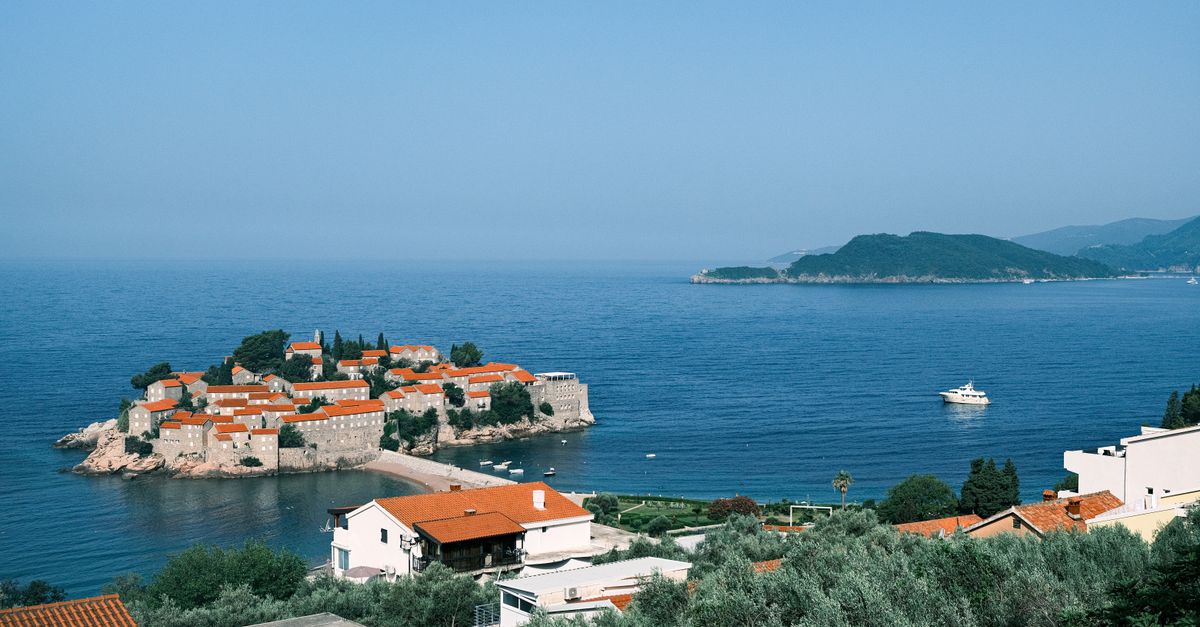
Check Coverage Maps – Montenegro’s mobile network is strongest in coastal cities such as Budva, Kotor, and Herceg Novi, as well as in the capital Podgorica. Rural mountain areas, especially around Durmitor National Park, may experience weaker signals. Plan offline map downloads before heading into low‑coverage zones.
Manage Data Usage – Set your phone’s data‑saving mode to limit background activity. Disable automatic app updates and restrict high‑resolution video streaming to Wi‑Fi whenever possible. This extends the life of your data allowance, particularly on the 1 GB and 2 GB plans.
Leverage Free Wi‑Fi – Many cafés, restaurants, and public squares in Montenegro provide complimentary Wi‑Fi. Use these spots to refresh your eSIM balance, download large files, or sync photos. Remember to use a VPN on public networks to protect personal information.
Keep the Device Charged – When traveling between sites, you may spend long periods outdoors. Carry a portable power bank to ensure your phone remains active for navigation and communication.
Monitor Data Consumption – Most smartphones display real‑time data usage. Check this regularly to avoid unexpected depletion, especially if you are on a limited plan.
Adjust APN Settings if Needed – While most eSIM profiles configure automatically, occasional mismatches can occur. If you notice slow speeds, verify that the Access Point Name (APN) matches the provider’s recommended settings, which are usually included in the purchase confirmation email.
Use Local Messaging Apps – Montenegrin residents frequently use messaging platforms such as Viber and WhatsApp. Communicating through these apps can reduce the need for voice minutes and keep costs low.
Plan for International Calls – If you need to call home, consider using internet‑based services like Skype or Google Voice over your data connection rather than traditional voice minutes, which may be more expensive on a local plan.
By following these suggestions, you can make the most of your eSIM, stay reachable, and focus on the experiences Montenegro has to offer.
Choosing the right eSIM plan, installing it before departure, and applying a few everyday habits will keep you connected throughout the diverse landscapes of Montenegro. Whether you are strolling along the Adriatic coast, hiking the rugged highlands, or exploring historic towns, a reliable data connection lets you navigate, share, and enjoy your trip without unnecessary interruptions. Safe travels!
📌 Disclaimer
Prices, schedules, tour details, flight routes, visa requirements, and all other information on this page are based on data at the time of writing. Fares, availability, and policies may change. Please verify current details on the official website before booking.
Top Tours & Activities

1 GB Montenegro travel eSIM valid for 7 days
eSIM Plan
From $4

2 GB Montenegro travel eSIM valid for 15 days
eSIM Plan
From $7

3 GB Montenegro travel eSIM valid for 30 days
eSIM Plan
From $9
Unlimited GB Montenegro travel eSIM valid for 10 days
eSIM Plan
From $38
📌 More about Montenegro